
Issue #008 — Durability & fsync
When Postgres calls fsync() after writing a WAL record, it trusts the storage stack to confirm that the data is physically durable. That trust is usually warranted.

In March 2018, a widely-read blog post from PostgreSQL contributor Tomas Vondra described something alarming: on Linux, if a page is evicted from the OS page cache while dirty, and then a subsequent write to that page fails, Postgres might not learn about the failure. The page might be silently discarded. And the next fsync() on that file might return success — because from the kernel’s perspective, there was nothing left to sync.
The PostgreSQL project spent months investigating. The conclusion was that Postgres, like most database software, had been making an assumption about fsync() semantics that was only partially true on Linux. A design change was made in PostgreSQL 12. But the investigation surfaced something more general and more unsettling: fsync() returning success is not the same as data being physically durable. The gap between those two things is where data loss lives.
This issue maps that gap precisely. We’ll cover the five levels of the durability stack between your application’s write() call and actual non-volatile storage, the three specific failure modes that cause fsync() to lie, and how to configure your database server to close each one.
What fsync() actually guarantees
Let’s start from the specification. The POSIX definition of fsync() states:
The fsync() function shall request that all data for the open file descriptor named by fildes is to be transferred to the storage device associated with the file described by fildes.
“Transferred to the storage device associated with the file.” Not “written to non-volatile cells.” Not “protected from power failure.” Transferred to the storage device — meaning it has left the OS’s control and been handed to the device.
What the device does with it is not part of the POSIX specification.
This is the gap. fsync() guarantees that data has left the OS page cache and been sent to the storage device. Whether the storage device has written it to actual non-volatile storage — NAND flash cells, magnetic platter domains — depends on the device’s internal behaviour, which varies by hardware and configuration.
The durability ladder
Before the three lies, we need the full picture of where data can live between a write() call and non-volatile storage.

The animated diagram builds the five levels from most volatile to most durable, with a “power failure kills everything above this line” marker placed after level four.
Level 1 — Application memory: Your application’s heap. Lost on process crash, OOM kill, or SIGKILL. Data that has been write()‘d has left this level.
Level 2 — OS page cache: Kernel-managed RAM. Survives a process crash but not a kernel panic or power failure. write() returns success when data reaches this level. The OS will flush this to disk eventually, but “eventually” is not “now.”
Level 3 — Drive write cache (volatile DRAM): Many storage devices — HDDs and consumer SSDs — have a small internal RAM buffer where they stage writes before actually committing them to persistent storage. This speeds up write throughput dramatically (the drive can acknowledge the write instantly while scheduling the actual physical write for later). If power is cut while data is in this buffer, it’s gone.
Level 4 — Drive write cache (capacitor-backed or flash-backed): Enterprise SSDs and RAID controllers with a Battery Backup Unit (BBU) or supercapacitor-protected write cache store data in a non-volatile buffer that can survive a power outage long enough to flush to persistent storage on the next power cycle. This is “mostly safe” — but the BBU can degrade, the capacitor can fail, and the controller can crash.
Level 5 — Non-volatile storage cells: Data physically written to NAND flash cells or magnetic platter domains. Survives power loss. This is true durability. Getting data here is the entire point of the fsync() call.
The power failure boundary sits between levels 3 and 5 depending on your hardware. fsync() guarantees that data has left level 2. Whether it reaches level 5 before power can cut it is what the three lies are about.
Lie #1: Disk write cache enabled without power-loss protection
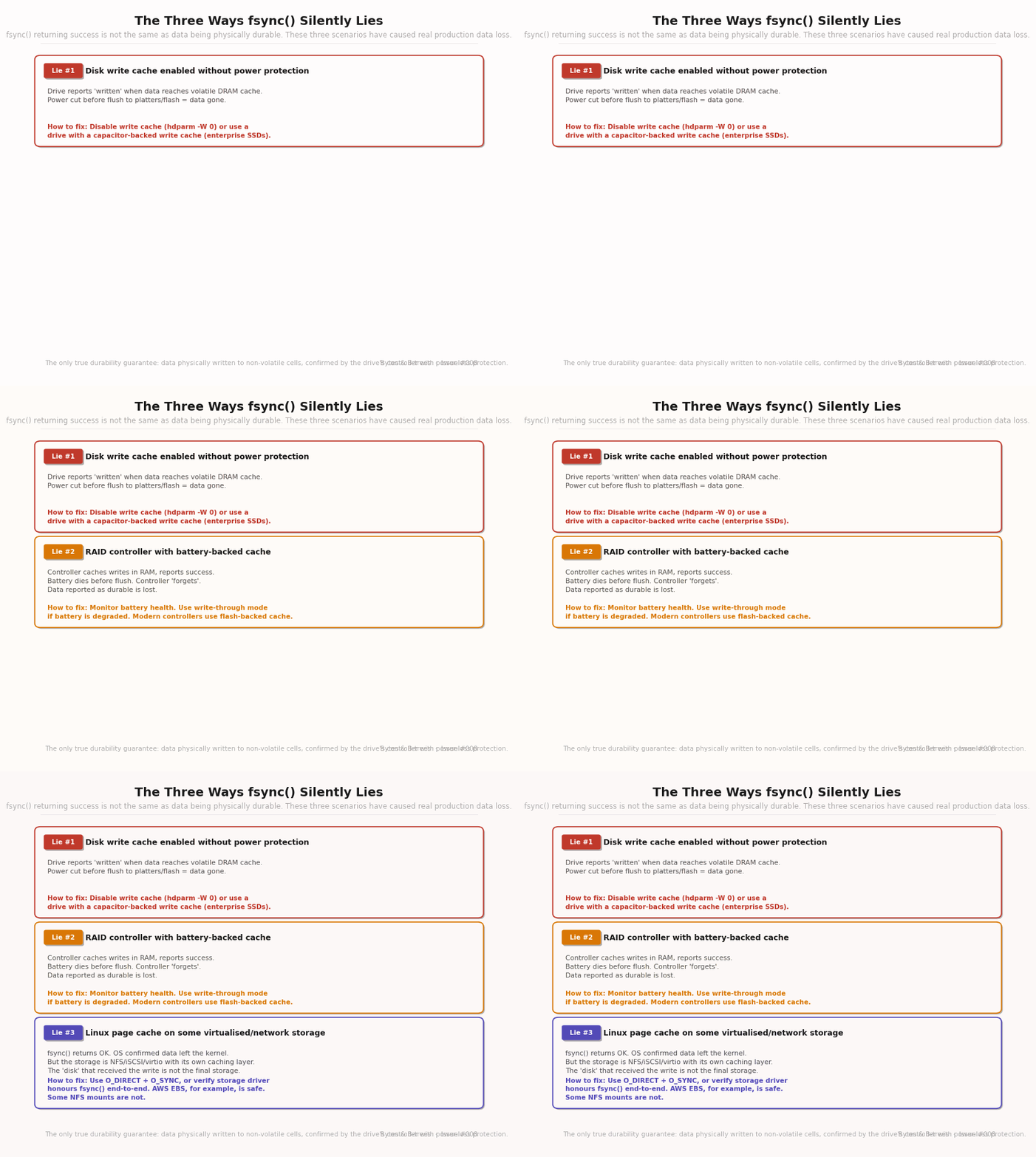
Consumer-grade HDDs and SSDs ship with write caching enabled by default. When the OS calls fsync() and the device acknowledges it, the device may be reporting that the data has reached its own internal RAM buffer — not that it has been written to persistent cells.
The acknowledgement is technically truthful at one level: the data has left the OS page cache and is in the drive’s control. But it is not in non-volatile storage. A sudden power cut will discard it.
How to verify this is happening on your system:
# Check if write cache is enabled on your drive:
sudo hdparm -I /dev/sda | grep -i "write cache"
# Output: * Write cache

# Check if it's actually enabled:
sudo hdparm -W /dev/sda
# Output: write-caching = 1 (on) -- this is the dangerous state
How to fix it:
# Disable the write cache (survives reboots only with hdparm.conf):
sudo hdparm -W 0 /dev/sda

# Verify:
sudo hdparm -W /dev/sda
# write-caching = 0 (off) -- fsync() now waits for actual cell writes
The performance cost is real. Disabling the write cache means every fsync() blocks until the storage device has physically written the data. On a consumer SSD, the difference is often 2–5x slower for write-heavy workloads. On an HDD, the difference can be 10–20x.
This is why enterprise SSDs matter for database servers: they have capacitor-backed write caches that are non-volatile. The write cache can remain enabled (for performance), and the data is still safe if power is cut — the capacitor provides enough energy to complete the flush.
For virtual machines and cloud instances: AWS EBS volumes, GCP Persistent Disks, and Azure Managed Disks all provide durable write semantics — they handle the write cache properly at the storage layer. You don’t need to disable write caching on cloud block storage. But you should verify the documentation of any storage provider before assuming this.
Lie #2: RAID controller with degraded or failed BBU
RAID controllers sit between the OS and the physical drives. When a write comes in, a RAID controller typically acknowledges it to the OS once the data is in the controller’s own cache — not once it’s been distributed to the drives. This dramatically improves write performance (the application isn’t waiting for multiple drives to write) and provides some protection (the controller can retry failed drive writes from its cache).
The battery backup unit (BBU) — or supercapacitor-based equivalent — is what makes this cache non-volatile. If the BBU is healthy and the power cuts, the controller keeps power long enough to flush its cache to the drives.
The problem: BBUs degrade. A RAID controller battery rated for three years may lose significant capacity by year two. When the BBU is degraded, the controller’s firmware detects this and switches to “write-through” mode — acknowledging writes only after they’ve been committed to the drives, not the cache. This is the correct safe behaviour, but it’s also 3–5x slower, and in some firmware implementations, it happens silently without alerting the DBA.
Even worse: some older RAID controllers, when the BBU is charging after a replacement, temporarily switch to write-through mode. A DBA replaces a degraded battery, and for the 24–48 hours the new battery charges, database write performance suddenly drops dramatically.
How to monitor BBU health:
# For MegaRAID controllers:
sudo megacli -AdpBbuCmd -GetBbuStatus -aALL | grep -E "Battery State|Relative Charge"

# For HPE Smart Array:
sudo ssacli ctrl all show status | grep -A5 "Cache"

# In your monitoring stack, alert on:
# - BBU charge below 85%
# - Write-through mode enabled
# - BBU replacement needed
What to do when BBU fails: Either replace it immediately and accept temporary performance degradation in write-through mode, or configure the database with synchronous_commit = off temporarily to reduce fsync frequency — acknowledging the increased (small) data loss window during the transition.
Lie #3: The Linux page cache eviction bug (and its relatives)
This is the most subtle lie, discovered in the Postgres investigation mentioned at the top of this issue.
On Linux, the OS page cache is not just a write buffer — it also caches file data for reads. When a write comes in for a page that’s already in the page cache, the write updates the cached page. When memory pressure is high, the kernel may evict dirty pages from the page cache to reclaim memory — before they’ve been written to disk.
Under normal operation, this is fine. The kernel tracks dirty pages and ensures they’re written to disk (via pdflush/kworker) before eviction, or marks them as needing a write and tracks them.
But here is the precise failure scenario that the Postgres investigation exposed:
Postgres writes dirty page to OS page cache (dirty)
Memory pressure causes the kernel to decide to evict this page
The kernel attempts to write the page to disk as part of eviction
The disk write fails (e.g., transient I/O error, storage temporarily unavailable)
On some Linux kernel versions: the page is evicted from the cache. The in-memory dirty state is discarded. The error is recorded in the page state — but not necessarily surfaced to any process that subsequently calls
fsync()on that filePostgres calls
fsync()on the WAL file or data filefsync() returns success — because from the kernel’s current view, there are no dirty pages for this file to sync
Postgres has been told the data is durable. The data was never written.
This was a kernel-level behaviour that PostgreSQL’s WAL code had implicitly depended on not occurring. PostgreSQL 12 added explicit checks: Postgres now marks files with pending writes and will re-issue writes if it detects the kernel lost track of them. The kernel behaviour was also addressed in Linux kernel patches.
Why this matters beyond the specific bug: It illustrates that the contract between database software and the OS storage stack is not as airtight as engineers assume. Every layer in the durability stack makes assumptions about the layers below it. When any assumption breaks — hardware caches data that it shouldn’t, kernels lose track of dirty pages, virtual storage layers introduce unexpected buffering — data can be silently lost even when every API call returned success.
The defence: Use O_DIRECT (bypasses the page cache entirely), monitor disk I/O errors at the OS level, and keep your Linux kernel updated. For critical data, verify that your storage stack is end-to-end correct using tools like Jepsen (which we’ll cover in issue #143).
Vault assets for this issue: durability_checklist.md + verify_write_cache.sh — accessible in GitHub vault
